
Table of Contents
Introduction
Imagine this: you’re sitting at a café, sipping coffee, laptop open, innocently browsing a philosophy blog. Unbeknownst to you, dozens of trackers are trailing behind you like paparazzi, logging what articles you read, what products you hover over, which links you click. Over time, those fragments of data assemble a mosaic—your interests, routine, even your identity.
Here’s a startling fact: just four of your most-visited websites may be enough to re-identify you out of thousands.
The web is no longer just a highway of information—it’s a marketplace of attention, where personal data is currency. For a philosophical mind (or anyone trying to preserve a semblance of autonomy online), that’s deeply unsettling.
Let this article be your map through the labyrinth of privacy tools in 2026. We’ll cut through the hype and point you to what works, what trade-offs to expect, and how to assemble a “privacy toolbox” you can actually live with.
Here’s what we’ll cover:
- What to expect from privacy tools (realistic promises)
- Private browsers and anti-tracking shields
- VPNs, Tor, and anonymity layers
- Browser extensions & smart micro-tools
- Future frontiers & emerging tools
- How to build your privacy strategy
- Closing thoughts: returning to the café
1. What to Expect (Not Perfect, But Better)

Before we jump into tools, let’s set expectations. Privacy tools help, but they don’t offer perfect invisibility. Think of them as masks, filters, or protective veils, not invisibility cloaks.
- Trade-offs exist: more privacy often means more friction—slower connections, more prompts, site compatibility issues.
- Layering is essential: no single tool suffices; you’ll combine multiple defenses.
- Behavior still matters: if you log into Google accounts, post publicly, or reuse usernames, tools can’t erase that.
- Tools evolve—so must you: attackers, trackers, fingerprinting techniques continue to advance.
With that in mind, let’s explore the key categories of tools.
2. Private Browsers & Anti-Tracking Shields
Your browser is the stage where most of the drama happens. Choosing the right one—and hardening it—is a foundational step.
2.1 Privacy-First Browsers
These browsers come with privacy defaults baked in (blockers, minimal telemetry, anti-fingerprinting measures).
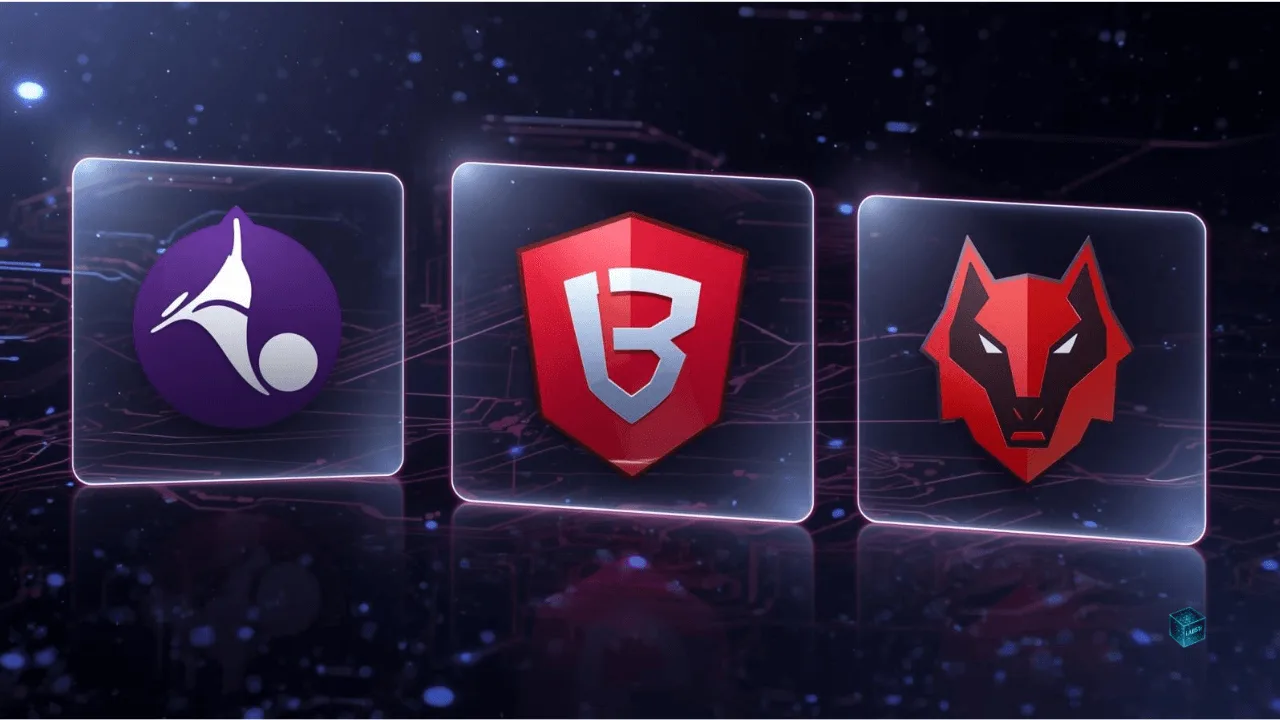
- Tor Browser – Probably the gold standard when anonymity matters. It routes traffic through multiple volunteer nodes to obfuscate your origin. But it’s slower and some sites may block it.
- Brave — Blocks trackers and ads by default; offers built-in privacy shields. Many users find it a comfortable middle ground between convenience and protection.
- LibreWolf — A privacy-oriented fork of Firefox, stripping telemetry, opting out of sync, aggressively chafing down tracking features.
- DuckDuckGo Private Browser — Available on mobile and desktop, it auto-blocks trackers, upgrades to HTTPS, and offers simplified privacy defaults.
When choosing, consider:
- How well it handles fingerprinting (unique device/lens identifiers)
- Whether you can tune settings to your preference
- Performance and compatibility with the sites you care about
As one privacy community member put it:
“Just use Mullvad Browser or Tor Browser … anonymity is your priority, your choice is pretty much reduced to Tor.”
Even users of more convenient browsers may augment them with extensions. Let’s look at that next.
3. Anonymity Layers: VPNs, Tor & Mixing
When privacy browsers aren’t enough (or you want system-wide protection), you layer in these components.
3.1 VPNs (Virtual Private Networks)
A VPN tunnels your internet traffic through a remote server, hiding your IP address and encrypting your traffic. Good VPNs also promise no-logs, strong protocols (WireGuard, OpenVPN), leak prevention, and perhaps multi-hop or obfuscation.
Top contenders (2025–2026) include:
- NordVPN — Offers “Onion over VPN” servers that route you through Tor after the VPN, and audited no-logs policies.
- ProtonVPN — Strong privacy credentials, Switzerland-based, transparent policies.
- Mullvad — Known for anonymity (you can pay without email, etc.).
- Surfshark, ExpressVPN, others — All with trade-offs in performance, cost, and privacy vs. convenience.
Note: VPNs protect traffic between you and the VPN server, but beyond that point, traffic is as anonymous (or not) as the endpoint. Also, a VPN alone doesn’t stop fingerprinting or tracking if you log into services.
3.2 Tor Network & Tor Overlays
- Tor is about anonymity above all: your traffic is relayed through at least three nodes so that no single hop knows both source and destination.
- Onion over VPN (or VPN over Tor) arrangements let you combine VPN + Tor, but these add complexity, latency, or risk.
- Because Tor exit nodes are public, your ISP or observer can see that you’re using Tor, which sometimes triggers blocking or scrutiny. hence VPN-to-Tor can hide that fact.
In practice: for critical anonymity (e.g. whistleblowing, sensitive browsing), Tor + VPN is worth the friction. For everyday privacy, a good VPN + hardened browser is often sufficient.
4. Browser Extensions & Micro-Tools
These are the small but crucial instruments in your privacy orchestra. Think of them as earplugs, filters, or even “sensory appendages” that refine your web experience.

4.1 Privacy Badger
Developed by the EFF, Privacy Badger identifies trackers across sites and auto-blocks them. It’s smart: it learns which domains spy across multiple sites and shuts them down.
Unlike heavy ad-blockers, it focuses on trackers, not blocking entire sites by default.
4.2 uBlock Origin / Decentraleyes / Anti-Fingerprinting Extensions
- uBlock Origin — A powerful, flexible blocker that’s low on resources.
- Decentraleyes — Serves local fallback files to reduce dependence on CDN domains (common tracking vectors).
- Anti-fingerprinting extensions — There are experimental tools (e.g. PriveShield) which create isolated “identities” for sites, preventing cross-site linking of tracking data.
Be aware: too many extensions may worsen fingerprinting (because your browser looks “abnormal”).
4.3 Privacy Policy Interpreters
Reading dense privacy policies is painful. Newer tools try to parse them into plain language. For example, PRISMe is an LLM-powered extension that highlights risks and translates legalese as you browse.
These help you make informed decisions (like whether to opt-out of certain data collection), rather than just blindly clicking “Accept.”
4.4 Cookie / Consent Managers & Global Privacy Control
Many sites now present cookie popups. Tools that auto-manage or auto-opt-out for you help reduce tracking footprint. Also, Global Privacy Control (GPC) is a voluntary signal you can enable in some browsers/extensions to signal “do not sell or share my data” across consenting websites.
5. Emerging & Future Tools
It’s worth scanning what’s beyond the horizon—tools that may become mainstream by 2026.

- PriveShield (mentioned above) — automatic isolation of browsing profiles to prevent cross-site linkage.
- Beta Tor VPN (Android) — Tor project is experimenting with a VPN-style approach for mobile, which routes traffic over its anonymity network.
- Browser-level built-in VPNs — Some browsers (e.g. Vivaldi) are integrating VPN options directly.
- Privacy-first analytics tools — For websites and small creators, tools like Plausible or Matomo allow site owners to track basic metrics without invasive user tracking. (Not a user tool, but part of the privacy ecosystem.)
Watch for homomorphic encryption, differential privacy, and zero-knowledge proofs being applied in web apps to reduce data exposure. (These are more on the development side than consumer tools—for now.)
6. Building Your 2026 Privacy Strategy
Here’s a suggested, step-by-step way to build a resilient yet usable privacy setup:

Step 1: Choose a privacy-friendly browser
Start with one that balances usability and protection (Brave, LibreWolf, Tor Browser).
Step 2: Harden settings
- Disable telemetry, auto-updates that report usage
- Enable “do not track,” block third-party cookies
- Tweak fingerprinting protections
Step 3: Add smart extensions (sparingly)
Use Privacy Badger, uBlock Origin, Decentraleyes, plus a policy interpreter like PRISMe if you’re adventurous.
Step 4: Use a trustworthy VPN
Select one with a no-logs policy, strong encryption, and ideally audited independently. Enable it always (especially on public Wi-Fi).
Step 5: Use Tor when anonymity is essential
For sensitive browsing, switch to Tor or use Tor-over-VPN. Accept the slower speeds as the price of stronger privacy.
Step 6: Cultivate “privacy habits”
- Use strong, distinct passwords (with a manager)
- Avoid using real personal details when not necessary
- Log out of services and use new windows / containers
- Review app permissions, avoid unnecessary linking
- Periodically audit trackers and clear data
Step 7: Stay informed and update
Privacy tech evolves fast. Follow reliable privacy communities and periodically review your setup.
7. Conclusion: Return to the Café
Let’s return to the café: you shut your laptop, close your browser, and glance around. The trackers have no idea who just browsed the philosophy blog. Your digital self is no longer a billboard.

But that mask you wear? It’s not perfect. A savvy watcher might still piece together fragments. The goal is not perfect invisibility—it’s meaningful reduction of exposure, thoughtful control, and the dignity of choosing who sees what and when.
So I challenge you: pick two new tools from this list and use them for a week. Notice when a site breaks, when you have to click prompts, when your workflow slows—but also notice how much freer you feel. Then layer in more.
In the end, privacy is as much a mindset as a toolkit. The web can be a wild terrain—but you don’t have to walk it unshielded.
FAQ
Frequently Asked Questions
Absolutely. While encryption and regulations like GDPR or CCPA help, the average user is still constantly tracked through browser fingerprints, ad networks, and data brokers. Privacy tools act like digital sunscreen—they don’t block all rays, but they prevent the worst burns.
For total anonymity: Tor Browser. For daily browsing: Brave or LibreWolf. Tor routes your connection through encrypted nodes for true anonymity. Brave and LibreWolf block trackers, ads, and fingerprinting by default—striking a good balance between convenience and security.
No. VPNs encrypt your traffic and hide your IP address from your ISP and local networks, but they don’t erase who you are if you log into personal accounts. Think of VPNs as privacy lenses, not invisibility cloaks.
Yes—but only if you need stronger anonymity. Using Tor over VPN can hide Tor usage from your ISP, but it can also slow things down. For most users, a good VPN + hardened browser setup is enough.
They’re double-edged swords. Tools like uBlock Origin and Privacy Badger are trustworthy and lightweight. But too many extensions—or those from unknown developers—can ironically increase your fingerprint uniqueness. Choose sparingly, and stick to open-source options.
Use a layered approach: A private browser (Brave, LibreWolf, or Tor). Anti-tracking extensions. A VPN for network-level encryption. Privacy-respecting search engines (DuckDuckGo, Startpage, or Kagi). Opt-out signals like Global Privacy Control (GPC) where available.
Expect smarter browsers with built-in VPNs, AI-based tracker blocking, and privacy-preserving tech like zero-knowledge proofs or differential privacy. The future of privacy is automation—tools that protect you quietly in the background without breaking your web experience.
If you want one you can set up in 10 minutes: Browser: Brave VPN: ProtonVPN (free or paid), Extensions: uBlock Origin + Privacy Badger, Search Engine: DuckDuckGo, This “starter stack” gives you 80% of the benefits with minimal effort.
Sometimes, yes—especially Tor or multi-hop VPNs. But the trade-off is worth it for users who value data safety over milliseconds of load time. Many privacy tools like Brave’s Shields actually speed up browsing by blocking ads and scripts.
Not at all—it’s about autonomy. Just as you close curtains at home, using privacy tools means choosing what parts of your digital life to share. It’s less about hiding and more about owning your narrative.

